· Nas · Technology · 20 min read
Best Claude Model for Website Design in 2026
Claude has four models and they do not design equally well. Here is which one to pick for website design in 2026, when the expensive one is genuinely worth it, and the settings that change your output more than the model does.
Best Claude Model for Website Design in 2026
Most people building a website with Claude never change the model. They open the app, type “build me a landing page for my business,” and accept whatever comes out.
Then they wonder why the result looks like every other AI website on the internet.
Here’s the thing almost nobody tells you: the model you pick changes the design output more than the prompt you write. Claude now ships four models, they are genuinely different, and picking the wrong one for design work costs you either quality or money, depending on which direction you get it wrong.
I build websites with Claude every week, for myself and for clients. This post is the answer I give when someone asks which one to use.
The Short Answer
Use Claude Opus 5 for website design. It is the model built for complex agentic coding, it makes the most deliberate aesthetic decisions, and it is included on the Claude Pro plan at $20 per month. That is the right default for roughly 90% of people building a website.
Use Claude Sonnet 5 for fast iteration once the design direction is locked. Use Claude Fable 5.1 only when you’re building something large, multi-page and long-running and Opus 5 has genuinely fallen short. Use Claude Haiku 4.5 for the boring jobs around the build, never for the design itself.
Here’s what we’ll cover:
- The 2026 Claude Model Lineup at a Glance
- Why the Model Matters So Much for Design
- Claude Opus 5: The Right Default
- Claude Fable 5.1: When You Actually Need More
- Claude Sonnet 5: The Iteration Workhorse
- Claude Haiku 4.5: Speed, Not Taste
- The Model Stack I Actually Use
- The Effort Setting Nobody Talks About
- Which Claude Plan Do You Need?
- What Changing Models Will Not Fix
- Quick Reference: Pick Your Model
- Frequently Asked Questions
The 2026 Claude Model Lineup at a Glance
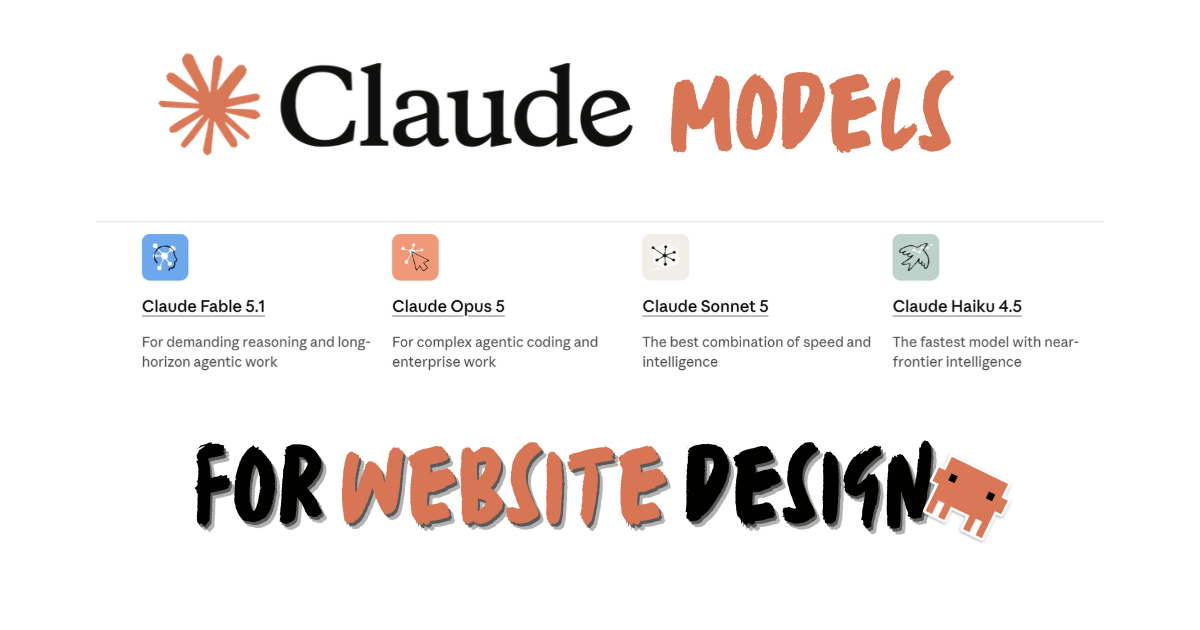
As of September 2026, these are the four current Claude models, straight from Anthropic’s official models overview:
| Model | Built for | Speed | Context window | API price (in / out per million tokens) |
|---|---|---|---|---|
| Claude Fable 5.1 | Demanding reasoning and long-horizon agentic work | Slower | 1M tokens | $10 / $50 |
| Claude Opus 5 | Complex agentic coding and enterprise work | Moderate | 1M tokens | $5 / $25 |
| Claude Sonnet 5 | The best combination of speed and intelligence | Fast | 1M tokens | $2 / $10 |
| Claude Haiku 4.5 | The fastest model with near-frontier intelligence | Fastest | 200K tokens | $1 / $5 |
A few things worth pulling out of that table before we go further.
Three of the four have a 1 million token context window. That is roughly 555,000 words of working memory. For a website build, that means Claude can hold your entire project (every page, every component, every style file) in its head at once without losing the thread. This is a big deal for multi-page sites, and it’s why design consistency across pages is far less painful than it was a year ago.
The API prices only matter if you’re building through the API. If you’re using Claude in the browser or Claude Code on a Pro or Max subscription, you pay a flat monthly fee and the per-token prices above are irrelevant to you. I’ve included them because they’re the clearest signal of how Anthropic ranks these models against each other.
Why the Model Matters So Much for Design
Writing code and designing something are different tasks, and the gap between models shows up much more sharply on the second one.
Getting a button to work is close to binary. It either functions or it doesn’t, and almost any current model gets there. Deciding what that button should look like is a judgment call with a thousand valid answers and only a handful of good ones, and that is exactly where model capability separates.
When a weaker model is asked to make a design decision, it reaches for the statistical average of everything it has ever seen. That average is a centred hero section, Inter at three weights, a blue-to-purple gradient, three feature cards with rounded corners, and a footer. It’s not wrong. It’s just the visual equivalent of beige, and readers recognise it instantly.
A stronger model does something different. It commits. It will pick an unusual type pairing and carry it through the whole page, build a spacing system and actually respect it, and make a choice that has a point of view rather than hedging toward the middle. That willingness to commit is what separates a site that looks designed from a site that looks generated.
That’s the real reason to care about which model you pick. You’re not paying for better code. You’re paying for better taste.
Claude Opus 5: The Right Default
Model ID: claude-opus-5 · Context: 1M tokens · On: Pro, Max, Team, API
Anthropic describes Opus 5 as the model for complex agentic coding and enterprise work, and its own documentation says plainly: if you’re unsure which model to use, start with Claude Opus 5 for most workloads.
For website design, that advice holds. Opus 5 is the model I reach for on any build where the visual result matters, for three reasons.
It makes real design decisions. Ask it for a portfolio site and you’ll get an actual aesthetic direction rather than a template. It picks a lane and stays in it, which is precisely what most AI-generated design fails to do.
It holds a whole project in its head. With a 1M token context window, Opus 5 can keep your full design system in view while it builds page seven, so your typography, spacing, and component styles don’t quietly drift as the site grows. Drift across pages is the number one tell of an AI-built site, and this is the single biggest thing that prevents it.
It thinks before it builds. Opus 5 has adaptive thinking on by default, meaning it reasons through the problem before writing code. On a design task that reasoning is where the layout decisions and hierarchy choices actually get made, and you can usually see the difference in the first draft.
It’s also the practical choice. Opus is included on the Claude Pro plan at $20 per month, so for most people reading this, the best design model is already sitting in a dropdown they’ve never opened.
One workflow note: if you’re building in Claude Code, Opus 5 supports fast mode, toggled with /fast. It runs the same Opus 5 model with faster output rather than silently swapping you down to a smaller model, which makes it genuinely useful when you’re doing rapid visual iteration and don’t want to sit watching a cursor blink.
Right model, right build
Build your beautiful website today
Picking the model is step one. My complete step-by-step pack is everything after it - from a blank screen to a real website, live on your own domain, plus a private 1-on-1 call with me.
Build My Website With Claude →Lifetime access · Beginner friendly · No code needed
Claude Fable 5.1: When You Actually Need More
Model ID: claude-fable-5-1 · Context: 1M tokens · On: API, and to Pro and Max subscribers through usage credits on a limited basis
Fable 5.1 is Anthropic’s most capable widely released model, built for demanding reasoning and long-horizon agentic work. It costs double what Opus 5 costs on the API ($10 in, $50 out per million tokens) and it’s noticeably slower.
Here’s the part people get wrong: most of them do not need it.
Anthropic’s own guide to choosing a model recommends moving to Fable 5.1 only when your results on Opus 5 at high effort still fall short. That is a genuinely high bar, and a five-page business website almost never clears it.
Where Fable 5.1 earns its price on web work is the long, unattended build: a large multi-page site generated in one continuous session, a complex web app with real state and data logic behind the interface, or a full redesign where Claude is refactoring dozens of existing files while keeping everything visually consistent. Those are the jobs where “long-horizon agentic work” stops being marketing language and starts describing exactly what you’re asking for.
For a landing page? It’s overkill. You’ll wait longer and burn more credits for a result Opus 5 would have given you.
Claude Sonnet 5: The Iteration Workhorse
Model ID: claude-sonnet-5 · Context: 1M tokens · On: Free, Pro, Max, Team, API
Sonnet 5 is positioned as the best combination of speed and intelligence, and on the API it’s 2.5x cheaper than Opus 5 at $2 in and $10 out per million tokens. It also has the same 1M token context window, which means it doesn’t lose your project when things get big.
For design work it sits in a very specific and very useful place: it’s not where you’d start a design, but it’s where you’d want to live once the design exists.
The first draft of a site is where model quality matters most, because that’s when the aesthetic direction gets set. Once that direction is locked in, most of what follows is execution: change this copy, tighten that spacing, make the mobile nav behave, add a testimonials section matching the cards above. Sonnet 5 handles all of that quickly, follows an existing design system faithfully, and saves your Opus usage for the decisions that actually need it.
It’s also the best model available on the free plan, so if you’re just testing whether any of this works for you before paying for anything, Sonnet 5 is your starting point and it is genuinely capable.
Claude Haiku 4.5: Speed, Not Taste
Model ID: claude-haiku-4-5 · Context: 200K tokens · On: Free, Pro, Max, Team, API
Haiku 4.5 is the fastest model in the lineup with near-frontier intelligence, at $1 in and $5 out per million tokens. It’s the only current model with a 200K context window rather than 1M, which matters here: a large website project can genuinely outgrow it mid-build.
Do not use Haiku for design decisions. Speed is exactly the wrong optimisation for a task where the whole value is in deliberation.
Where it does earn a place in a website project is all the work sitting around the design: generating placeholder copy, writing alt text across every image, producing meta descriptions, renaming files, and other high-volume mechanical jobs. Sending those to Haiku instead of Opus is one of the easiest ways to reduce your token usage and avoid hitting usage limits on a big build.
The Model Stack I Actually Use
I don’t pick one model per project. I pick one per phase, and switching takes about two seconds.
Phase 1 - Design direction: Opus 5. The first real prompt of any build is the most important one. This is where the aesthetic gets decided, and I want the strongest available judgment on it. I’ll spend several rounds here on the homepage alone before touching another page.
Phase 2 - Building out the pages: Opus 5, still. Consistency across pages is a design problem, not a typing problem, so I don’t downgrade while the system is still being extended into new templates.
Phase 3 - Iteration and copy: Sonnet 5. Once the design system exists and the site’s structure is real, the work becomes execution. Sonnet 5 is fast, follows the established system well, and this is where most of the total session time gets spent.
Phase 4 - Bulk chores: Haiku 4.5. Alt text, meta descriptions, file renaming, anything repetitive and mechanical.
Phase 5 - Final design pass: back to Opus 5. One last review with the best model, asking it specifically to look for inconsistencies, weak hierarchy, and anything that reads as generic. This catches things a faster model simply doesn’t notice.
Two habits make this stack work far better than it otherwise would. First, keep a CLAUDE.md file in your project holding your design system, because every model reads it and it’s what keeps them aligned when you switch between them. Second, start fresh chats regularly rather than running one enormous session, since long conversations degrade output quality regardless of how good your model is.
The Effort Setting Nobody Talks About
This is the part most model comparisons skip, and it’s arguably more useful than the comparison itself.
Current Claude models have an effort setting that controls how much thinking and work the model spends on a response. Anthropic’s effort documentation is direct about the implication: tuning effort is often a better lever than switching models.
There are five levels: low, medium, high, xhigh, and max. The default on Opus 5, Sonnet 5, and Fable 5.1 is high.
For website design, the practical guidance is this:
high(the default) is the right starting point on Opus 5 and Fable 5.1. Don’t change anything and you’re already here.- Step up to
xhighfor demanding, long-running builds - a full multi-page site in one session, or a complex app. maxis for when a task genuinely justifies unconstrained token spending. On a marketing site, it rarely does.- Step down to
mediumorlowfor routine execution work, which is another way of doing what I described in Phase 3 above without changing model at all.
The reason this matters: Opus 5 at xhigh effort will usually beat Fable 5.1 at default effort on the kind of work most people are doing, and it will cost you less. Before you conclude you need a more expensive model, raise the effort on the one you have.
Which Claude Plan Do You Need?
Model availability is set by your plan, not by your prompt. From Anthropic’s pricing page:
| Plan | Price | Models included | Good for |
|---|---|---|---|
| Free | $0 | Haiku, Sonnet | Testing whether this works for you at all |
| Pro | $17/mo annual, $20/mo monthly | Haiku, Sonnet, Opus | Almost everyone building a website |
| Max | From $100/mo | Haiku, Sonnet, Opus, with 5x or 20x Pro usage | Building sites weekly, or client work |
| Team | $20-$125/seat/mo | All models | Agencies and teams |
The honest recommendation: get Pro. Opus 5 is the design model, Pro is the cheapest plan that includes it, and it also unlocks Claude Code, which is where serious website building happens. If you find yourself hitting usage limits mid-build every week, that’s the signal to look at Max, not before.
Fable 5.1 is available to Pro and Max subscribers through usage credits on a limited basis, so you can try it on a hard build without an API account, but you shouldn’t plan your whole workflow around it.
What Changing Models Will Not Fix
I want to be honest about the limits here, because “just use Opus” is only part of the answer.
A better model does not fix a bad brief. “Make me a nice website for my coaching business” gets you a generic site on every model in the lineup, because you haven’t told it what “nice” means for your business. Specify your audience, the feeling you want, sites you admire, and what you absolutely don’t want, and the output improves on any model.
A better model also does not replace the design instructions. Anthropic’s own frontend design skill exists precisely because even a frontier model produces better work when it’s told to commit to an aesthetic direction before writing code. I’ve broken down the full set in the best Claude Skills for website design, and if you’ve never installed one, start here - it takes about five minutes.
The stack that actually produces good websites is: right model + clear brief + design skills installed. Drop any one of those three and you’re back to beige. If you want the full build walked through end to end, I covered it in how to build a beautiful website with Claude, and there’s a separate tutorial on Claude’s Design skill if you’d rather work visually.
Your turn to build
Build your beautiful website today
You know which model to pick. Now get the rest: my complete step-by-step pack takes you from a blank screen to a real website, live on your own domain - with a private 1-on-1 call with me included.
Build My Website With Claude →Lifetime access · Beginner friendly · No code needed
Want to build it together, live? Apply for the 1-month mentorship → · Prefer it done for you? Get in touch →
Quick Reference: Pick Your Model
| If you’re… | Use | Why |
|---|---|---|
| Designing a website from scratch | Opus 5 | Best design judgment, included on Pro |
| Iterating on an existing design | Sonnet 5 | Fast, follows a locked design system well |
| Building a large multi-page site in one long session | Opus 5 at xhigh effort | Raise effort before upgrading model |
| Still falling short after that | Fable 5.1 | Built for long-horizon agentic work |
| Writing alt text, meta descriptions, bulk copy | Haiku 4.5 | Cheapest and fastest for mechanical work |
| On the free plan, just testing | Sonnet 5 | The most capable free option |
| Doing a final quality pass before launch | Opus 5 | Catches what faster models miss |
Frequently Asked Questions
Which Claude model is best for website design in 2026?
Claude Opus 5 is the best Claude model for website design for most people. It’s built for complex agentic coding, makes more deliberate aesthetic decisions than the faster models, has a 1M token context window that keeps multi-page sites consistent, and it’s included on the $20/month Claude Pro plan. Only move to Claude Fable 5.1 if your results on Opus 5 at high effort still fall short.
Is Claude Fable 5.1 worth it for building a website?
For most websites, no. Fable 5.1 costs twice what Opus 5 costs on the API ($10 in and $50 out per million tokens versus $5 and $25) and runs slower. It’s built for demanding reasoning and long-horizon agentic work, so it earns its price on very large multi-page builds, complex web apps, or full-site refactors - not on a landing page or a five-page business site. Anthropic’s own guidance is to move to it only when Opus 5 at high effort has already fallen short.
Can I design a good website with the free version of Claude?
Yes, with a real limit. The free plan gives you Claude Haiku 4.5 and Claude Sonnet 5, and Sonnet 5 is genuinely capable for web design. You won’t get Opus 5, which is the model that makes the strongest design decisions, so expect to do more directing yourself. It’s a perfectly good way to find out whether this approach works for you before paying anything.
What’s the difference between Claude Opus 5 and Claude Sonnet 5 for design?
Opus 5 is better at deciding and Sonnet 5 is better at executing. Opus 5 is built for complex agentic coding and will commit to a distinctive aesthetic direction rather than defaulting to a safe template. Sonnet 5 is faster and cheaper, and once a design system already exists it follows it faithfully. The practical answer is to use Opus 5 for the first draft and the final pass, and Sonnet 5 for everything in between.
Do I need Claude Max, or is Pro enough for building websites?
Pro is enough for almost everyone. At $20 per month it includes Opus 5, which is the model that matters for design, plus Claude Code. Max (from $100/month) gives you 5x or 20x the usage, so it only makes sense once you’re consistently hitting limits mid-build, which usually means you’re shipping sites weekly or doing client work.
Does changing the Claude model actually change how the website looks?
Yes, and more than most people expect. Code correctness is close to binary across current models, but design is a judgment call. Weaker models default toward the statistical average of everything they’ve seen, which is exactly why so many AI-built sites share the same centred hero, the same three feature cards, and the same blue-to-purple gradient. Stronger models commit to a direction and carry it consistently, which is what makes a site look designed rather than generated.
What is the effort setting and should I change it for design work?
Effort controls how much thinking and work Claude spends on a response, with five levels: low, medium, high, xhigh, and max. The default on Opus 5, Sonnet 5, and Fable 5.1 is high, which is the right starting point for design. Step up to xhigh for long-running multi-page builds. Anthropic notes that tuning effort is often a better lever than switching models, so raise effort on the model you have before paying for a more expensive one.
Which Claude model should I use inside Claude Code?
The same logic applies: Opus 5 for design work, Sonnet 5 for iteration. Claude Code lets you switch models mid-session, so you can start a build on Opus 5, drop to Sonnet 5 for the repetitive parts, and switch back for a final review. Opus 5 also supports fast mode in Claude Code (toggled with /fast), which speeds up output without downgrading you to a smaller model.
Is Claude better than v0 or Lovable for website design?
Different tools for different jobs. v0 and Lovable are excellent at fast prototyping from pre-built component libraries, which means quick results that tend to look like everything else built from those libraries. Claude with Opus 5 and design skills is better when you want something custom and distinctive. I compared the v0 workflow separately in how to build a website with v0.
Nas’ Note
The model dropdown is the highest-leverage thing in Claude that most people never touch.
I’ve watched founders spend two hours rewriting a prompt to try to get a better-looking homepage, when switching from the default model to Opus 5 would have moved them further in one attempt. The prompt matters, and the skills matter more than people think, but you can’t prompt your way past a model that won’t commit to a decision.
So the whole thing, honestly, is this: get on Pro, select Opus 5, install a design skill, write a brief that actually says what you want, and use Sonnet 5 for the fiddly bits once the look is settled. That combination puts you ahead of almost everyone else building with AI right now.
And when it looks good, put it on a real domain. A beautiful website nobody can visit isn’t a website.
If you want my full list of Claude Skills, with direct links and install instructions, grab the free guide.
Liked what you just saw? Follow me on Youtube or connect on LinkedIn for more insights on building with AI.
Video Guides you might like:
 How to use Claude Code to build Apps
  10 Best Claude Code Skills for beginners
  How to create AI Video Animations with Claude + Remotion
  How to use Claude Code to build a Website
  How to use Claude Skills for beginners
  How to write the PERFECT CLAUDE.md file
  Automate 80% of your Marketing with Claude
  How to use Claude Code — The basics
  Work 2X Faster with Claude Cowork
  How to NEVER Hit Claude Usage Limits Again