· Nas · Technology · 15 min read
All the Tools You Need to Start a Side Hustle with Claude
You don't need a team or a big budget to launch a side hustle in 2026. Here are the ten tools I actually use to build, launch, get paid, and scale, all with Claude doing most of the heavy lifting.
All the Tools You Need to Start a Side Hustle with Claude
A few years ago, starting a side hustle meant hiring a developer, paying a designer, and waiting weeks before you had anything to show for it. Today, one person with Claude and a handful of free or near-free tools can go from idea to a live, working product with real payments in a weekend.
I’ve built and shipped several small products this way, and the stack barely changes each time. In this post, I’m breaking down the exact ten tools I use, what each one does, what it costs, how hard it is to set up, and how important it actually is so you can decide where to spend your time first.
Here’s what we’re covering:
- Claude Code - to actually build the thing
- Namecheap - to buy your domain
- Supabase - to add a signup button
- Quizzings - to collect customer testimonials
- Vercel - to host your website for free
- Stripe - to add payments
- GitHub - to store and back up your code
- Resend - to send transactional emails
- Brevo - to send newsletters and marketing emails
- Talk to Me Data - to build and deploy AI agents
1. Claude Code - to actually build the thing
Link: claude.com/product/claude-code Price: Free to install, usage is included in Claude subscriptions starting around $20/month (Pro), with a free tier available to try it out. Ease of integration: Very easy. Install it from your terminal, point it at a folder, and start describing what you want built in plain English. How important it is: This is the foundation everything else sits on.
Claude Code is the tool that actually writes your product. Instead of hiring a developer, you open a terminal, describe your idea, and Claude writes the code, builds the pages, and wires up the logic for you. It can design a full website, build forms, and even help you connect the other tools on this list, since it already knows how to work with Supabase, Stripe, and Vercel out of the box.
If you’ve never used it before, I’d start with my beginner’s guide to Claude Code before diving into the rest of this list.
2. Namecheap - to buy your domain
Link: namecheap.com Price: Most .com domains cost around $10-15/year, and Namecheap regularly runs first-year deals for a few dollars. Ease of integration: Very easy. Search for a name, buy it, and you’re done in under five minutes. How important it is: Not urgent on day one, but worth doing early once you’ve settled on a name.
Your domain is your side hustle’s actual address on the internet, and having your own yourbusiness.com instead of a generic .vercel.app link instantly makes your project look like a real product instead of a weekend experiment. Namecheap is where I buy nearly all of mine: it’s cheap, the interface is simple, and connecting a domain you bought there to your hosting provider (more on that in the Vercel section) takes just a few DNS settings.
Don’t overthink the name. Buy it once you’re reasonably confident in the idea, and let Claude help you build the site around it.
Prefer to watch instead? I walk through this entire stack, tool by tool, in the video below:
3. Supabase - to add a signup button
Link: supabase.com Price: Free tier supports up to 50,000 monthly active users, which is more than enough to launch and validate your idea before you’d ever need to pay. Ease of integration: Medium. Claude can write the signup form for you in minutes, but you’ll need to manually create the project, grab your API keys, and turn on the right security settings yourself. How important it is: Essential the moment you want actual users, not just visitors.
Supabase is the database and authentication layer behind your product. It’s what turns a static site into something people can actually sign up for and use. Claude Code already knows how to wire up email/password auth and even a “Sign in with Google” button using Supabase, but the database itself, and the security rules that protect it, have to be set up on Supabase’s side first.
I wrote a full, step-by-step walkthrough of this exact process (including the Google sign-in setup) in How to Add a Signup Form with Claude Code and Supabase. If you’re adding user accounts to your side hustle, start there.
4. Quizzings - to collect customer testimonials
Link: quizzings.com Price: Free to get started, with paid plans priced at a fraction of what tools like Trustpilot charge. Ease of integration: Very easy. Create your business profile, get your unique review link, and start sharing it with customers the same day. How important it is: Underrated, but it’s what actually convinces strangers to trust and buy from you.
No matter how good your product is, people don’t take your word for it, they take other customers’ word for it. Quizzings lets you collect real feedback and testimonials from your early users and turn them into social proof you can display directly on your site, without the enterprise price tag of the bigger review platforms.
Setting it up takes a few minutes: create your account, add your business details, and you get a shareable review link and a logo upload for your page.
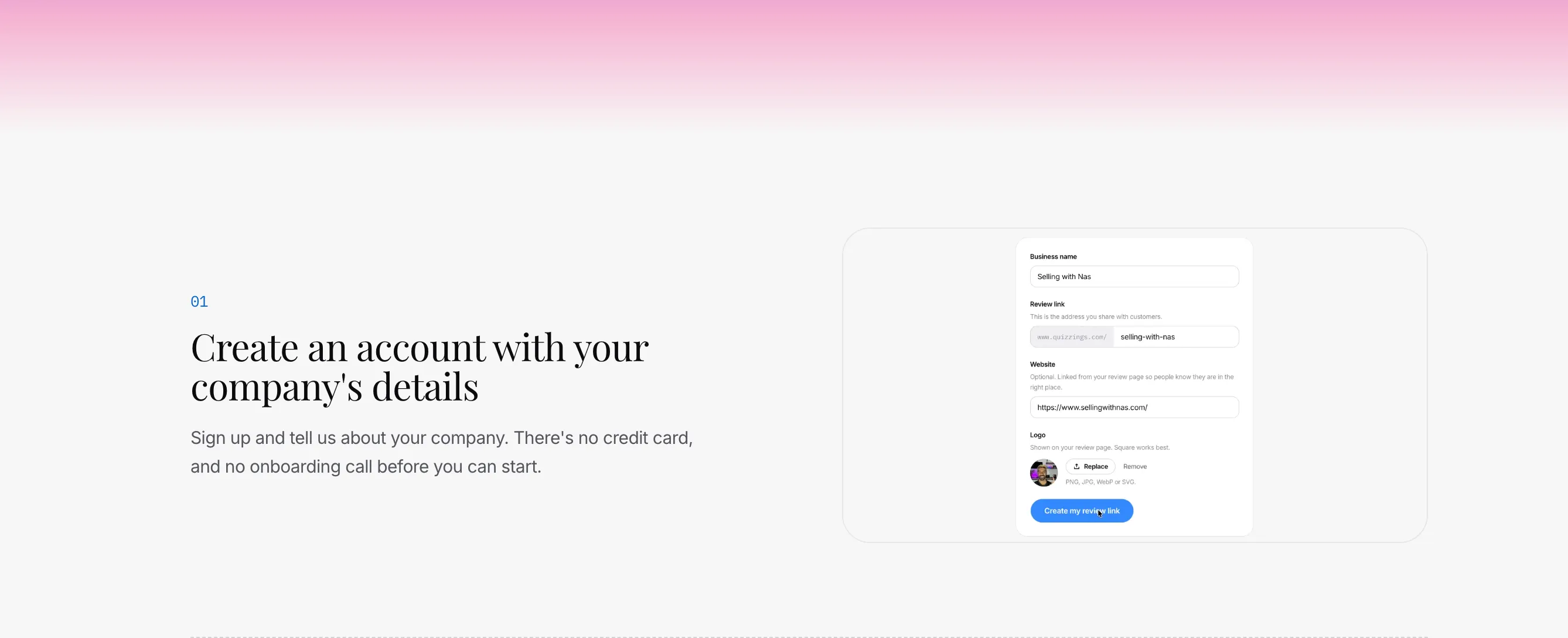
Once you’ve collected a handful of reviews, they show up as ready-to-embed testimonials you can drop straight onto your homepage or pricing page.
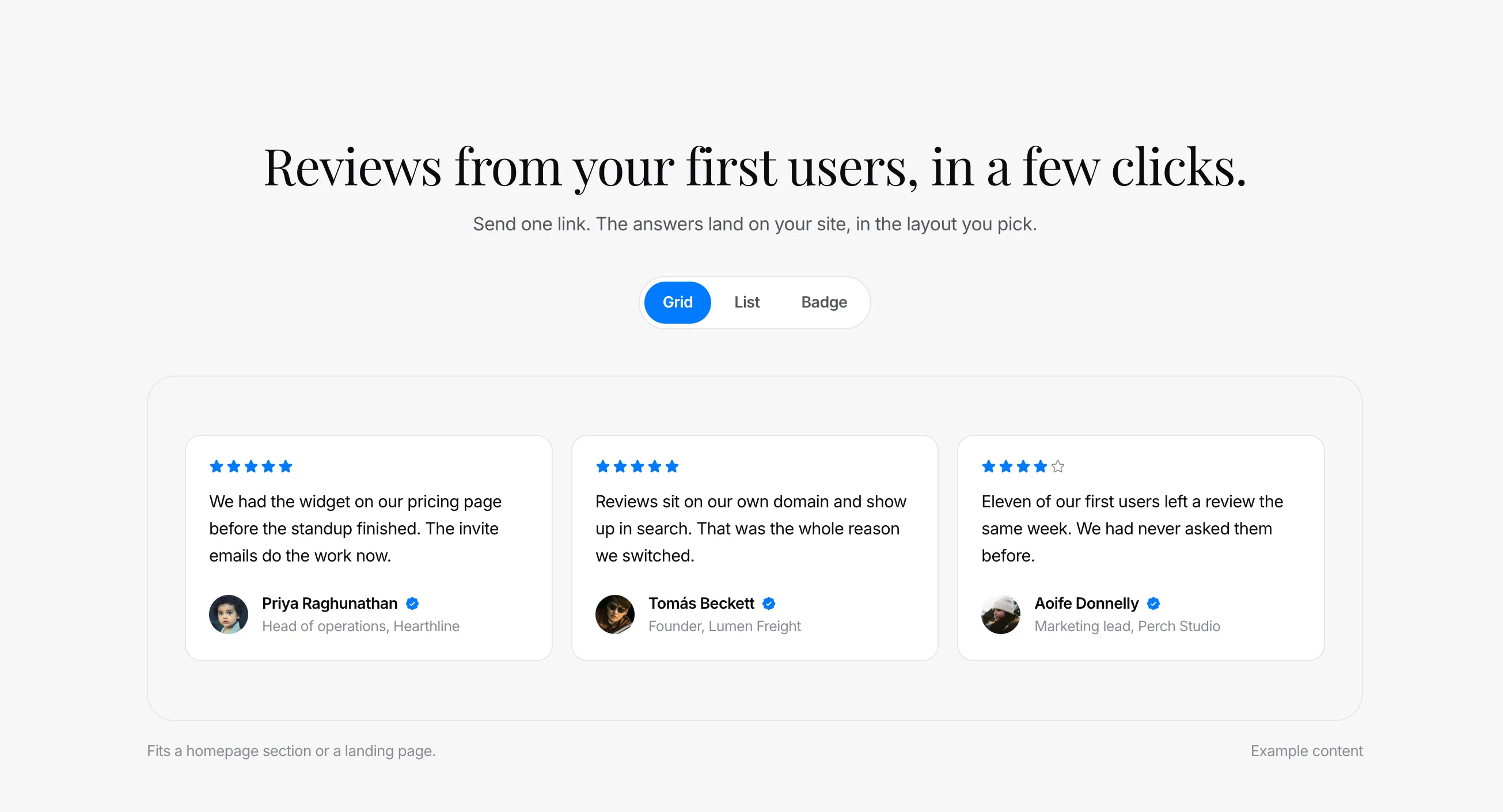
If you’re not sure where to place testimonials for the best effect, that’s usually right above your pricing section or signup button, exactly where visitors are deciding whether to trust you.
5. Vercel - to host your website for free
Link: vercel.com Price: Free for personal and small projects. You only start paying once you need serious scale or a team plan. Ease of integration: Very easy. Connect your GitHub repository, click Deploy, and your site is live in under two minutes. How important it is: Essential. There’s no side hustle without a live link people can visit.
Vercel is what takes the code Claude wrote on your machine and puts it on the internet. It automatically detects your framework, builds your project, and gives you a live URL, and once it’s connected to GitHub, every future change you push goes live automatically. It’s also where you connect the custom domain you bought on Namecheap.
I’ve written a complete walkthrough of this exact process in How to Deploy Your Website with Vercel for Free, covering everything from exporting your code to connecting your domain.
6. Stripe - to add payments
Link: stripe.com Price: Free to set up, no monthly fees. Stripe takes a small percentage (typically around 2.9% + $0.30) per successful transaction. Ease of integration: Medium. Claude can build the checkout flow and pricing page quickly, but you’ll need to create a real Stripe account, verify your business details, and connect your API keys before you can accept real money. How important it is: This is the whole point, it’s how your side hustle actually makes money.
Stripe handles the part that turns your project into an actual business: accepting payments. Whether you’re charging a one-time fee or running a monthly subscription, Stripe handles the checkout, the billing, the receipts, and the security, so you’re not the one responsible for protecting anyone’s card details.
Claude Code is very good at building the checkout page and pricing UI around Stripe’s tools, but just like Supabase, the account creation, business verification, and live API keys are things you have to set up yourself on Stripe’s side before real customers can pay you.
7. GitHub - to store and back up your code
Link: github.com Price: Free for unlimited public and private repositories. Paid plans (from around $4/month) only matter once you need advanced team features. Ease of integration: Easy. Create an account, and Claude Code can create the repository, save your changes, and push them for you with a single request. How important it is: Essential. It’s your backup, your version history, and the bridge between Claude Code and Vercel.
GitHub is where your code lives online. Every time Claude makes changes, you can save a snapshot of your project (called a “commit”), so if something breaks you can roll back to the last working version instead of starting over. It’s also what makes the Vercel setup so smooth: connect your repository once, and every change you push goes live automatically.
You don’t need to learn Git commands to use it. Just ask Claude Code to “commit these changes and push them to GitHub” and it handles the rest. The only thing you need to do yourself is create a GitHub account and sign in from your terminal the first time.
8. Resend - to send transactional emails
Link: resend.com Price: Free for up to 3,000 emails a month (capped at 100 per day), with paid plans starting around $20/month once you outgrow that. Ease of integration: Medium. Claude can write the email code and templates for you, but you’ll need to verify your domain by adding a few DNS records in Namecheap before you can send from your own address. How important it is: Important as soon as people start signing up. Welcome emails, password resets, and receipts all need to actually reach the inbox.
Resend handles transactional emails, the automatic, one-to-one messages your product sends when someone does something: signs up, resets their password, or makes a purchase. It’s built for developers, so Claude Code already knows exactly how to use it, and once your domain is verified your emails land in the inbox instead of the spam folder.
It also pairs perfectly with Supabase. Supabase’s built-in email service is heavily rate-limited and really only meant for testing, so before you launch you’ll want to plug Resend in as Supabase’s custom SMTP provider. That way your signup confirmation emails come from your own domain and actually arrive.
9. Brevo - to send newsletters and marketing emails
Link: brevo.com Price: Free for up to 300 emails a day, with paid plans starting around $9/month if you need to send more. Ease of integration: Easy. Import your contacts, pick a template, and write your email in a drag-and-drop editor, no code required. How important it is: Not needed on day one, but it becomes one of your best sales channels once you’ve started building a list.
Where Resend sends the automatic emails your product triggers, Brevo is for the emails you send on purpose: newsletters, launch announcements, discount codes, and follow-ups to people who signed up but never bought. It gives you a visual email editor, contact lists, and simple automations, so you can stay in touch with your audience without writing a line of code.
If you want to go a step further, Claude Code can connect your site’s signup form to Brevo through its API, so every new user is automatically added to your mailing list. Your email list is the one audience you actually own. Social platforms can change their algorithms overnight, but your list stays yours.
10. Talk to Me Data - to build and deploy AI agents
Link: talktomedata.com Price: Free tier to get started, with paid plans starting at $49/month. Ease of integration: Easy to start. Sign up on the free tier and build your first agent before you pay anything. How important it is: This is how a one-person side hustle grows into a real company without a payroll.
The first nine tools get your side hustle built, launched, and making money. This one is how you scale it.
Here’s the problem every solo founder hits: the moment things start working, the work multiplies. More customer questions, more content to post, more reports to check, more follow-ups to send. The traditional answer is to hire, and hiring is slow, expensive, and the point where most side hustles stall.
AI agents are the better answer. An agent isn’t a chatbot you have to keep prompting. It’s a digital teammate that takes on a job and keeps doing it: answering customers, digging through your data, drafting posts, keeping tabs on your numbers. Each agent you deploy is a role you don’t have to hire for. That’s why AI agents are, in my opinion, the single best way to scale a business today without growing your headcount, and the companies that learn to use them early are the ones that will grow fastest over the next few years.

Talk to Me Data is where I’d send any startup to build and deploy them. You can get agents up and running for your business without stitching together your own infrastructure, and because there’s a free tier, you can prove an agent is pulling its weight before you spend a cent. When you’re ready for more, paid plans start at $49 a month, which is less than a single day of a new hire’s salary. For startups, it’s the best option out there right now.
If AI agents are new to you, start with my beginner’s guide to what MCPs and AI agents are, then follow how to build your first AI agent with Claude.
The stack, assembled
Build your beautiful website today
You've got the tool list. Here's the build that uses it. My complete step-by-step pack takes you from a blank screen to a real website, live on your own domain - plus a private 1-on-1 call with me.
Build My Website With Claude →Lifetime access · Beginner friendly · No code needed
Want to build it together, live? Apply for the 1-month mentorship → · Prefer it done for you? Get in touch →
Quick Reference: The Full Side Hustle Stack
| Tool | What It’s For | Price | Setup Difficulty |
|---|---|---|---|
| Claude Code | Building your product | From ~$20/mo (free tier to try) | Easy |
| Namecheap | Buying your domain | ~$10-15/year | Easy |
| Supabase | Signups & database | Free up to 50,000 users | Medium |
| Quizzings | Customer testimonials | Free to start | Easy |
| Vercel | Free hosting | Free | Easy |
| Stripe | Accepting payments | Free + ~2.9% per transaction | Medium |
| GitHub | Storing & backing up your code | Free | Easy |
| Resend | Transactional emails | Free up to 3,000 emails/mo | Medium |
| Brevo | Newsletters & marketing emails | Free up to 300 emails/day | Easy |
| Talk to Me Data | Building & deploying AI agents | Free tier, paid from $49/mo | Easy |
Nas’ Note: the tools aren’t the hard part anymore
What used to take a founding team and months of runway now costs less than a nice dinner out and a weekend of focused work. Claude writes the code, GitHub keeps it safe, Namecheap gives you an address, Supabase and Stripe handle the plumbing, Resend and Brevo get your emails into inboxes, Quizzings builds your credibility, Vercel puts it all live for free, and Talk to Me Data gives you AI agents to scale it without hiring.
The tools are no longer the bottleneck. The only thing left standing between you and a live side hustle is deciding to start. If you want to go through this whole stack with me directly, I run a hands-on mentorship where I build with these exact tools alongside you. You can learn more on the AI Intensive Mentorship page.
Liked what you just saw? Follow me on Youtube or connect on LinkedIn for more insights on building with AI.
Video Guides you might like:
 How to use Claude Code to build Apps
  10 Best Claude Code Skills for beginners
  How to create AI Video Animations with Claude + Remotion
  How to use Claude Code to build a Website
  How to use Claude Skills for beginners
  How to write the PERFECT CLAUDE.md file
  Automate 80% of your Marketing with Claude
  How to use Claude Code — The basics
  Work 2X Faster with Claude Cowork
  How to NEVER Hit Claude Usage Limits Again