· Nas · Technology · 11 min read
How to Build Your First AI Agent with Claude
Building your first AI agent doesn't require code or infrastructure. In this guide, I walk through how to create a working travel planning agent inside the Claude desktop app using Projects, custom instructions, and MCP connectors like Expedia and Booking.com.
How to Build Your First AI Agent with Claude
- There are multiple ways to build an AI agent — this guide covers the simplest method: using the Claude desktop app, no coding required.
- You'll create a Project, write custom instructions that define the agent's behavior, and connect it to live tools via MCP connectors.
- The example agent in this guide is a travel planning agent that searches flights via Expedia and hotels via Booking.com.
- Once set up, you just describe your trip with your preferred dates, budget and destination, and the agent returns a complete plan with real prices and recommendations.
- For more advanced or custom agents, check out Talk to Me Data.
The phrase “AI agent” gets thrown around a lot, but most explanations either skip the how or assume you know how to write code. This guide does neither.
There are several ways to build an AI agent, from low-code platforms, to the Claude API, to frameworks like LangChain. But in this post, I’m going to show you the simplest possible method: building a fully functional agent directly inside the Claude desktop app, using Projects and MCP connectors. You won’t need to use API keys, access the terminal or even have to write a single line of code.
As our example, we’ll build a travel planning agent that searches for real flights and hotels based on your dates and budget. By the end of this guide, you’ll have a working agent you can actually use.
What Makes Something an “AI Agent”?
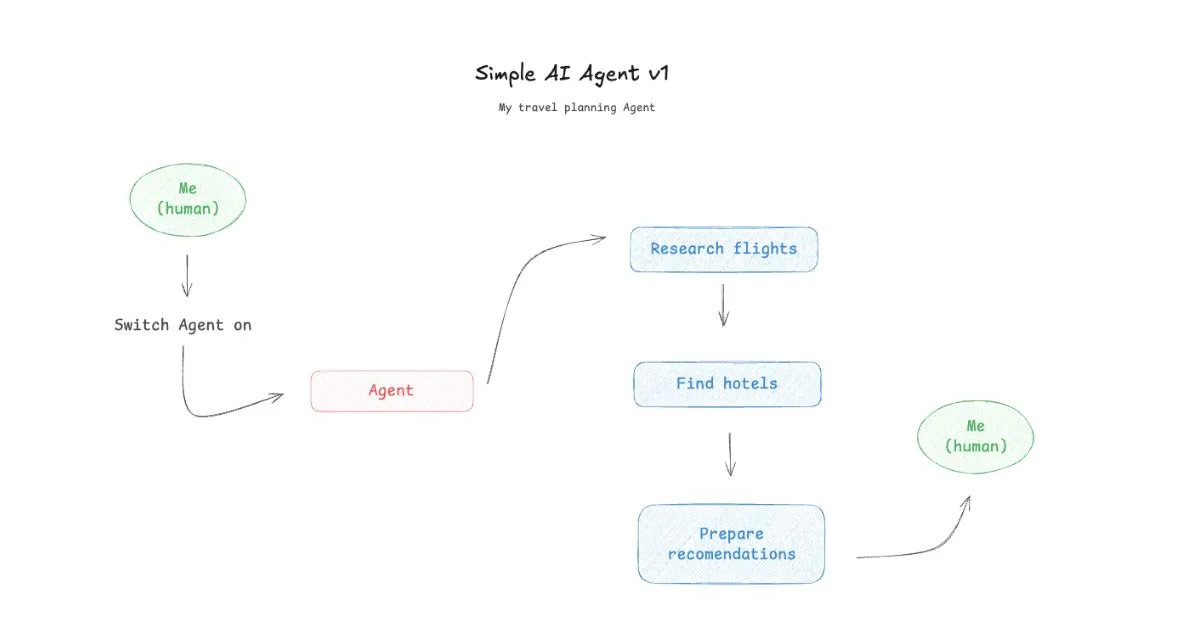
Before we dive in, a quick framing note. A regular Claude conversation is reactive - you ask, it answers. An AI agent is different: it has a defined role, persistent instructions, and access to tools it can use autonomously to complete tasks on your behalf.
The key ingredients are:
- Instructions - a persistent system prompt that tells Claude who it is and how to behave
- Tools / Connectors - real integrations that let the agent take actions (search flights, check availability, read data)
- A trigger - you, asking it to do something
When all three are in place, you have an agent. Let’s build one.
Step 1: Create a Project in Claude
Projects are Claude’s way of giving an AI session persistent memory and instructions. When you create a Project, every conversation inside it automatically inherits the instructions you set, so your agent “remembers” its role without you having to re-explain it every time.
How to create a Project:
- Open the Claude desktop app or go to claude.ai
- In the left sidebar, click New Project
- Give it a name. For this example I used: Travel Planning Agent
- Open the Project and click Edit Project Instructions (or “Set instructions”)
Now write the instructions that define your agent’s behavior.
Step 2: Write Your Agent Instructions
This is the most important step. The instructions are what transform a general-purpose Claude conversation into a focused agent. Think of it as writing a job description, so you’re telling Claude exactly what role it plays and how it should approach every request.
Here’s the instruction set I used for my travel planning agent:
You are a travel planning AI Agent who sources travel recommendations that fit my request. You should:

1) Use Expedia MCP to give me recommendations on which flights to take and their prices
2) Use Booking.com MCP to give me hotel recommendations, with their reviews and prices.

I'm based out of New York, so my outbound flights should be from there.
You should always try to keep the round trip under the budget I share.
You should give me recommendations with combinations of flights + hotels.
A few things to note about these instructions:
- Tool references are explicit - telling the agent which connector to use for each task keeps it focused and prevents it from guessing.
- Your home base is set - specifying New York means you never have to repeat it in every request.
- Budget awareness is baked in - the agent knows from the start that cost is a constraint, not an afterthought.
- Combined output is specified - asking for flights + hotels together means you get a complete plan, not just a list of options to cross-reference yourself.
You can adapt these instructions for any kind of agent. The logic is the same: define the role, name the tools, set the constraints.
Step 3: Add the MCP Connectors
Instructions alone give Claude a role, but without connectors it has no tools to act with. To enable real flight and hotel searches, you need to add the Expedia and Booking.com connectors via the MCP directory.
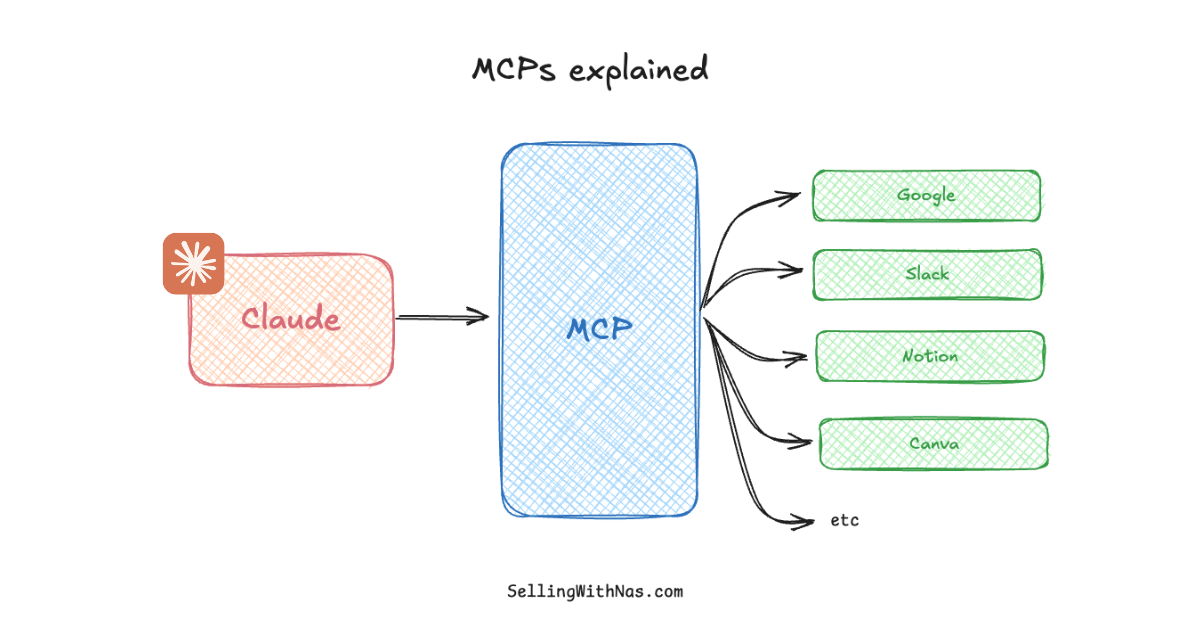
If you’re new to MCPs, read my What are MCPs? guide first, it explains exactly how the protocol works and why it matters.
How to add connectors:
- Click Customize in the top navigation of the Claude app
- Select Connectors from the left sidebar
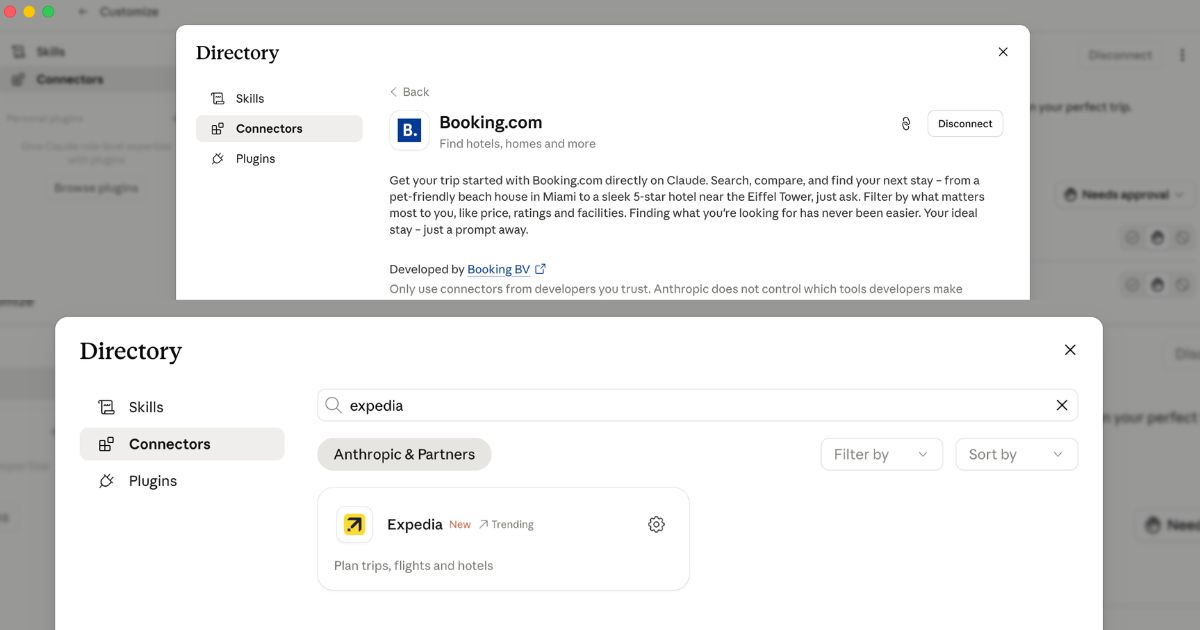
- Search for Expedia - click the settings icon to connect it
- Search for Booking.com - click + to add it
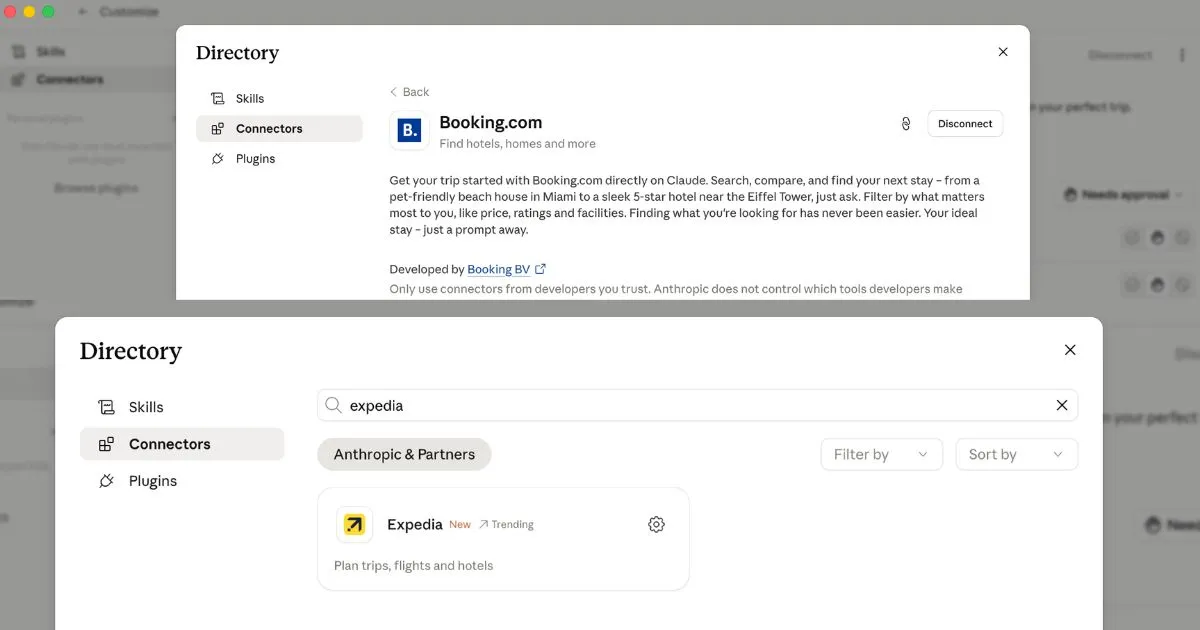
As shown above, both Expedia and Booking.com are available in the Claude connector directory. Expedia is marked as trending because it was one of the newer travel integrations added to the platform. Booking.com gives you access to hotel inventory with reviews and pricing directly inside Claude.
Once both connectors are enabled, go back into your Travel Planning Agent Project. Claude now has everything it needs.
Step 4: Ask Your Agent to Plan a Trip
Now the fun part. Start a new conversation inside your Project and just describe your trip naturally. You don’t need to use any special syntax, you just have to write as if you’re messaging a human travel assistant.
Here’s an example prompt:
“I want to plan a trip to Lisbon. I’m thinking the last week of July, flying out July 21st and returning July 28th. My total budget for flights and hotel is around $1,500. Can you put together some options?”
Because your instructions are already set in the Project, Claude knows to:
- Search outbound flights from New York (JFK/EWR/LGA) to Lisbon via Expedia
- Find hotels in Lisbon for those dates via Booking.com, filtered with ratings and price
- Return a combined plan with flight + hotel options that fit your $1,500 budget
The agent works through each step autonomously, loads the relevant tools, retrieves live data, and assembles a complete recommendation - all in one response.
You can follow up naturally: “What if I moved the return to July 30th?” or “Can you find something closer to the city center under $150/night?” The agent remembers the context of your trip and adjusts.
Give your agent a home
Build your beautiful website today
Your agent needs a front door - a real site people can find and trust. My complete step-by-step pack takes you from a blank screen to a real website, live on your own domain - plus a private 1-on-1 call with me.
Build My Website With Claude →Lifetime access · Beginner friendly · No code needed
Prefer it done for you? Get in touch →
Want to build a custom AI agent for your business?
Check out Talk to Me Data - a platform for building and hosting custom AI agents with your own data and tools.
Visit Talk to Me Data →What Else Can You Build This Way?
The travel planning agent is just one example. The same three-step pattern - Project + instructions + connectors - applies to almost any workflow:
| Agent Type | Instructions Define | Connectors Needed |
|---|---|---|
| Email assistant | Reply style, tone, priorities | Gmail |
| Meeting prep agent | What to summarize, action item format | Google Calendar + Google Drive |
| Content research agent | Topics to track, output format | Web search + Notion |
| Project status agent | Which projects to report on, format | Notion or Atlassian Rovo |
| E-commerce research agent | Competitor tracking, pricing rules | Web search |
If the agent you want to build requires custom data sources, internal APIs, or more complex logic than what’s available in the connector directory, that’s where dedicated platforms come in. Talk to Me Data is built specifically for this - it lets you connect your own datasets and build agents that work on your proprietary information, not just public integrations.
For more on how Claude can take autonomous actions across your computer beyond just connectors, check out my Claude Cowork tutorial. And if you want the full picture of how to use Claude Code to build more sophisticated workflows, the Claude Code beginner guide is a good next step.
Frequently Asked Questions
Do I need to know how to code to build an AI agent with Claude? No. Everything in this guide is done through the Claude desktop app interface - creating a Project, writing instructions, and enabling connectors. No code, no API keys, no terminal.
What’s the difference between a Claude Project and a regular chat? A regular chat has no persistent instructions - every conversation starts fresh. A Project stores your instructions permanently, so every conversation inside it automatically runs with your agent’s defined role and behavior.
Does the travel agent use real-time data? Yes. When you enable the Expedia and Booking.com connectors, Claude queries those platforms live during your conversation. The prices and availability it returns reflect real inventory at the time you ask.
Can I build an agent that uses more than two connectors? Yes. You can enable as many connectors as you want and reference multiple tools in your instructions. For example, you could add Google Calendar so the agent cross-checks your availability before suggesting travel dates.
What if the connector I need doesn’t exist in the directory? Claude’s connector directory is growing, but it doesn’t cover every tool yet. If you need to connect to a custom data source or internal system, Talk to Me Data is designed for exactly that use case - building agents on top of your own data.
Can I share my agent with someone else? Currently, Projects and their instructions are private to your account. You can’t share a Project directly, but you can share the instructions so someone else can recreate the same agent in their own account.
Is this the only way to build an AI agent with Claude? No — this is the simplest way. More advanced options include using the Claude API to build custom agents programmatically, or platforms like Talk to Me Data for no-code custom agent deployment. The Claude desktop app method is the fastest path to a working agent with zero technical setup.
How is an AI agent different from just asking Claude a question? A regular Claude message is a one-off exchange. An agent has a persistent role (defined by instructions), access to tools it can use autonomously, and the ability to execute multi-step tasks without you guiding every single step. It’s the difference between asking someone for directions and hiring a driver.
Liked what you just saw? Follow me on Youtube or connect on LinkedIn for more insights on growing your business online.
Video Guides you might like:
 How to use Claude Code to build Apps
  10 Best Claude Code Skills for beginners
  How to create AI Video Animations with Claude + Remotion
  How to use Claude Code to build a Website
  How to use Claude Skills for beginners
  How to write the PERFECT CLAUDE.md file
  Automate 80% of your Marketing with Claude
  How to use Claude Code — The basics
  Work 2X Faster with Claude Cowork
  How to NEVER Hit Claude Usage Limits Again