· Nas · AI · 15 min read
How to Build a Voice AI Agent with Claude and ElevenLabs (No Code)
You can build a fully functional voice AI agent using the Claude desktop app and ElevenLabs without writing code, with almost no API infrastructure, and no prior experience required. This guide walks you through the exact setup, the instructions to give your agent, and what to realistically expect from the result.
How to Build a Voice AI Agent with Claude and ElevenLabs (No Code)
- You can build a working voice AI agent using the Claude desktop app and the ElevenLabs MCP connector without any code required on your end.
- ElevenLabs has a free tier that gives you approximately 10 minutes of AI-generated voice per month, which is more than enough to experiment and test.
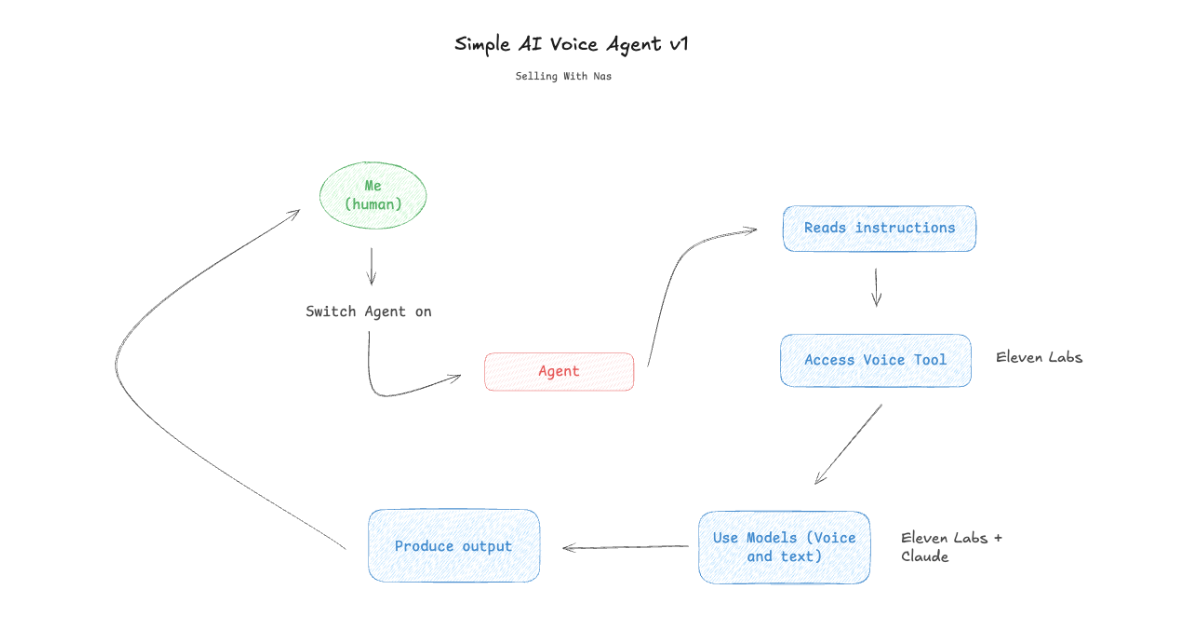
- The flow works like this: you type a question, Claude processes it, and ElevenLabs generates a spoken audio response you can play back.
- This setup is great for learning and demos, but it has usage limits that make it unsuitable for commercial use at scale - more on that below.
- If you want to deploy a voice agent for your business without managing tokens, API keys, or infrastructure, Talk to Me Data is built exactly for that.
Building a voice AI agent sounds like it should require a team of engineers, a cloud infrastructure budget, and several weeks of development. In practice, if you use Claude and ElevenLabs together, you can have something real working in under 30 minutes (and you won’t write a single line of code).
This guide walks you through the complete setup: what you’re actually building, how to connect ElevenLabs to Claude, what instructions to give your agent, and what the honest limitations are before you go in. I’ll also cover some fun things to test once your agent is live, and what it looks like to take this further for a real business.
Watch a video tutorial on how to build a Voice AI Agent:
What Are We Actually Building?
Before jumping into the steps, it’s worth being clear about what this agent is and how it fits together. If you’ve been following along with my previous content, you’ll already know that every AI agent is made up of three core elements: a model, tools, and context (instructions and memory).
In this setup, Claude serves as the model - the intelligence processing your requests and deciding how to respond. ElevenLabs serves as the voice tool, taking Claude’s text output and converting it into realistic spoken audio. Your instructions are the context that tells Claude who it is, how to behave, and when to use the voice tool.
The result is an agent that can receive a question from you, think through a response, and deliver that response as a spoken audio file rather than plain text. It’s worth knowing upfront that this is not a real-time voice conversation - you type, Claude processes, and ElevenLabs generates an audio file you play back. That distinction matters, and I’ll come back to it when we talk about limitations. For now, let’s build it.
Step 1: Get Your ElevenLabs Account and API Key
Head to elevenlabs.io and create a free account if you don’t already have one. The free tier gives you around 10 minutes of AI-generated voice per month, which is plenty for testing and building your first agent.
Once you’re logged in, on the left panel at the bottom, click on “Developers”, and then find API Keys. Click on “Create a new API key” and copy it somewhere safe - you’ll need it in the next step, and you should treat it like a password. Don’t share it publicly or commit it to any code repositories.
Step 2: Add the ElevenLabs Connector in Claude
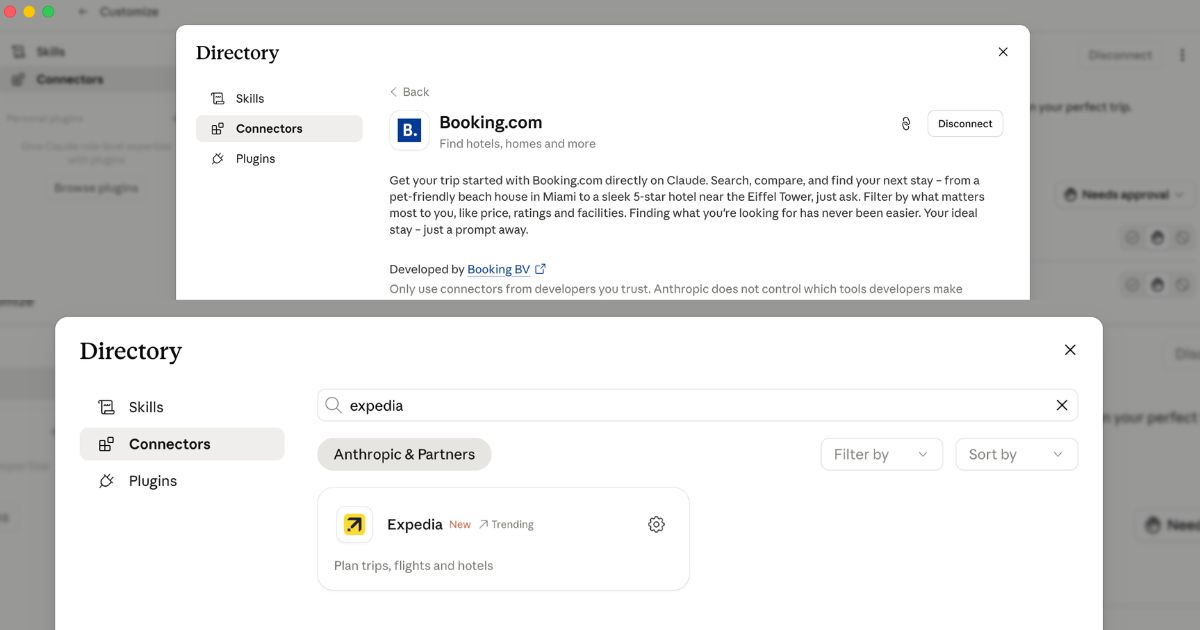
Open the Claude desktop app (or go to claude.ai) and click Customize in the top navigation. From the left sidebar, select Connectors, then search for ElevenLabs. Click the settings icon next to it and paste in the API key you just generated from your ElevenLabs account.
That’s the full technical setup. Claude can now call ElevenLabs as a tool during any conversation - you’ve connected the model to its voice capability in about two minutes.
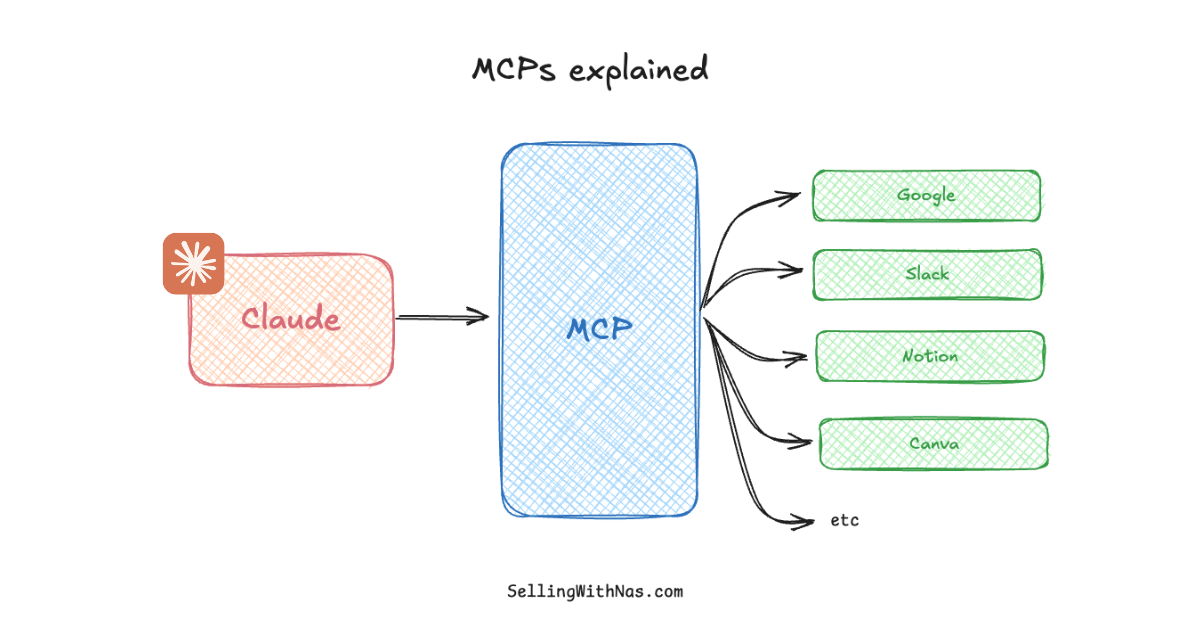
If you’re not familiar with how MCP connectors work in Claude more broadly, my What are MCPs? guide covers the concept in detail. The short version is that connectors give Claude the ability to interact with external services in real time, without you needing to build any custom integration.
Step 3: Write Your Agent Instructions
Instructions are what transform a general Claude conversation into a focused agent. Without them, Claude will still be able to use ElevenLabs, but it won’t know when to use it, what voice to use, or how to behave in context. Good instructions define the role, the behavior, and the tools the agent should reach for.
For this example, we’re building a simple customer service voice agent for Talk to Me Data - a platform that helps businesses build, deploy, and host AI agents. You can adapt these instructions for any product or business; the structure is what matters.
Create a new Project in Claude (click New Project in the left sidebar), give it a descriptive name like “Voice Customer Service Agent”, and paste the following into the Project Instructions field:
You are a friendly and knowledgeable customer service representative for TalkToMeData, a platform for businesses to build, deploy and host AI Agents. Your job is to answer questions about TalkToMeData's services, capabilities, and use cases to our visitors.

Every time you respond, you MUST use the ElevenLabs MCP tool to generate a spoken audio reply - do not just reply in text. Use a warm, professional voice. When I don't specify which voice you have to use, use "Archer" as the default.

Keep answers concise and conversational since they will be spoken aloud. Avoid bullet points or markdown in your spoken responses - write them as natural sentences a person would say.

If you don't know something specific, say so warmly and suggest the user visit talktomedata.com or get in touch directly.

About TalkToMeData:

Businesses can use Talk To me Data to build, deploy and host their AI Agents. Here, they never have to worry about their Claude Tokens, connecting APIs or even having to do any of the setup. It's ideal for small and medium sized businesses who want to automate repetitive tasks from their workflows such as drafting email responses, qualifying leads, reporting and analysis and more.
A few things worth noting about these instructions. The line that says “you MUST use the ElevenLabs MCP tool” on every response is critical because without an explicit instruction like that, Claude will sometimes respond in text only and skip the voice generation entirely. Specifying a default voice (“Archer”) means you get consistent output without having to request it each time. And the note to avoid bullet points or markdown matters because those formatting conventions don’t translate well to spoken audio - a voice agent should sound like a person talking, not a document being read aloud.
Step 4: Test Your Voice Agent
Start a new conversation inside your Project and ask your agent a question about the product, just as a customer would. Something like: “What kind of businesses use Talk to Me Data?” or “How quickly can I get an agent built?”
Claude will process your question, draft a response, and then call the ElevenLabs tool to generate a spoken version of that response. You’ll receive an audio file in the conversation that you can play back directly.
You can follow up naturally and the agent will respond to each message with a new audio clip. Try adjusting your questions, asking for a different voice, or changing the tone of the conversation to get a feel for what the agent can do.
Two Caveats You Should Know Before Going Further
Before you start building this into anything serious, there are two honest limitations worth understanding.
The first is Claude token usage. Every conversation you have uses tokens from your Claude account. For exploration and learning this isn’t a problem, but if you imagine running this setup commercially - handling hundreds of customer queries a day — you’d burn through your token allocation quickly. This setup is genuinely excellent for prototyping, demos, and internal testing. It is not a substitute for a purpose-built production deployment.
The second is the nature of the voice interaction itself. When you use this setup, Claude generates a text response and then calls ElevenLabs to convert it to audio. What you get is a high-quality spoken audio file delivered inside the chat window. What you don’t get is a live, real-time voice conversation where you speak and the agent speaks back instantly. The flow is: you type a question, Claude processes it, ElevenLabs generates the audio, and you play it. That’s still genuinely impressive and useful for many purposes, but it’s important to know what you’re working with before you demo it to anyone.
Give your agent a home
Build your beautiful website today
An agent needs a front door - a real site people can find and trust. My complete step-by-step pack takes you from a blank screen to a real website, live on your own domain - plus a private 1-on-1 call with me.
Build My Website With Claude →Lifetime access · Beginner friendly · No code needed
Prefer it done for you? Get in touch →
Want a voice agent built and deployed for your business?
Talk to Me Data builds, deploys, and hosts custom AI agents for businesses - no token limits, no API keys, no infrastructure headaches. Perfect for automating email responses, lead qualification, reporting, and more.
Get Your AI Agent Built →Other Things to Test Once You’re Set Up
Once your agent is working, ElevenLabs through Claude opens up a surprisingly wide range of use cases beyond customer service. Here are some worth experimenting with:
Audiobook and read-aloud mode. Paste any block of text such as an article, a chapter, a document etc. and ask the agent to read it aloud in a dramatic or expressive voice. This works particularly well for long-form content you’d rather listen to than read.
Different voice personas. Ask the agent to respond as a specific character or voice type like a cheerful host, a calm narrator, a formal announcer. ElevenLabs has a wide library of pre-built voices, and you can specify them directly in your prompt.
Multilingual responses. Ask the agent to reply in French, Spanish, German, or another language, and listen to how naturally ElevenLabs handles the pronunciation and cadence. This is one of the most impressive capabilities to demo to anyone unfamiliar with modern AI voice synthesis.
Custom voice design. You can prompt ElevenLabs to generate a brand new voice from a description, something like “a warm, authoritative British woman in her 40s” or “a young, energetic American man.” The voice it creates can then be used for subsequent responses in the same conversation.
Transcription. If you have an audio file you’d like transcribed, you can pass it to the agent and ask ElevenLabs to convert it to text. This reverses the usual direction of the tool and works well for meeting recordings, voice notes, or any spoken content you need in written form.
Ambient sound generation. Ask the agent to generate background audio rather than speech - a rainy coffee shop, a quiet office, ocean waves. This is more of a creative use case, but it demonstrates the range of what ElevenLabs can produce beyond standard voice output.
Taking This Further for Your Business
The Claude and ElevenLabs setup described in this guide is a powerful way to understand what voice AI agents can do, and it’s genuinely useful for internal demos, personal projects, and learning the fundamentals. But if you’re a business owner thinking about deploying a voice agent in a real workflow - one that handles customer queries, qualifies leads, or delivers spoken reports consistently - the limitations around tokens and real-time interaction start to matter a lot.
That’s exactly the gap that Talk to Me Data is designed to fill. Instead of managing API keys, monitoring token usage, or wiring together multiple services yourself, Talk to Me Data handles the full lifecycle: building the agent to your specifications, deploying it on managed infrastructure, and keeping it running without you having to touch it. It’s particularly well suited to repetitive, language-based workflows like drafting email responses, qualifying inbound leads, generating reports from data, answering customer questions etc. So the kind of tasks that take up hours every week but follow predictable patterns that an agent can handle reliably.
For a more advanced look at how Claude can take autonomous actions across your computer environment, the Claude Cowork tutorial builds on the same foundation as this guide. And if you want to understand how MCP connectors work in more depth before experimenting further, the MCPs beginner guide covers the protocol from first principles.
Frequently Asked Questions
Do I need to pay for ElevenLabs to use this? No — ElevenLabs has a free tier that gives you approximately 10 minutes of AI-generated voice per month. That’s enough to build your first agent, run tests, and experiment with different voice styles. You only need a paid plan if you want significantly more output volume.
Does this work on claude.ai as well as the desktop app? Yes, the ElevenLabs connector is available through both the Claude desktop app and claude.ai in the browser. The setup steps are identical in both environments.
Can I use my own custom voice with ElevenLabs? If you have a paid ElevenLabs account, you can clone a voice or create a custom one and reference it in your Claude agent instructions by name. The free tier gives you access to ElevenLabs’ library of pre-built voices, which is extensive enough for most use cases.
Why does the agent sometimes respond in text instead of generating audio? This usually happens when the instruction to use the ElevenLabs tool on every response isn’t explicit enough. Make sure your Project instructions include a direct statement like “you MUST use the ElevenLabs MCP tool to generate a spoken audio reply for every response.” Without that, Claude will sometimes fall back to text only.
Is this setup suitable for handling real customer queries on my website? For occasional internal use or demos, yes. For a production customer-facing deployment with consistent uptime, token reliability, and real-time response expectations, you’d want a purpose-built solution. Talk to Me Data is designed for exactly that - building and hosting agents that can handle real business workloads without the constraints of the Claude desktop app setup.
What’s the difference between this and a real-time voice agent? A real-time voice agent lets you speak, listens, processes the audio, and speaks back - all in a continuous loop with low latency. What we’ve built here processes text input and returns a generated audio file. It’s more like a voice response system than a live voice call. The experience is high quality, but the interaction model is different.
Can I build this for a language other than English? Yes. ElevenLabs supports a wide range of languages, and you can instruct your agent to respond in any of them. Simply include the language preference in your Project instructions or ask for it in your message, and both Claude and ElevenLabs will handle the rest.
Liked what you just saw? Follow me on Youtube or connect on LinkedIn for more insights on growing your business online.
Video Guides you might like:
 How to use Claude Code to build Apps
  10 Best Claude Code Skills for beginners
  How to create AI Video Animations with Claude + Remotion
  How to use Claude Code to build a Website
  How to use Claude Skills for beginners
  How to write the PERFECT CLAUDE.md file
  Automate 80% of your Marketing with Claude
  How to use Claude Code — The basics
  Work 2X Faster with Claude Cowork
  How to NEVER Hit Claude Usage Limits Again